Safe links - a security feature
Safe Links is a security feature that automatically rewrites and scans links in emails and Teams messages. The feature helps prevent DTU employees from being redirected to harmful websites that may contain ransomware or phishing attempts.
You can recognize a rewritten link by its beginning, such as: https://eur01.safelinks.protection.outlook.com/.... This is completely normal and requires no action from you.
How Safe Links works:
You can recognize a rewritten link by its beginning, such as: https://eur01.safelinks.protection.outlook.com/.... This is completely normal and requires no action from you.
How Safe Links works:
- Links in emails and Teams messages are rewritten.
- Safe links open as usual.
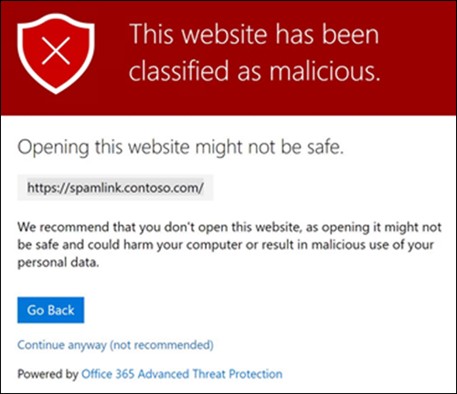
- Dangerous links are blocked or trigger a warning like this:
If you experience that a link to a system you use for work does not work, you should create a support ticket via IT Support.
Safe Links protects you, but you should still be cautious with suspicious emails and links, as the feature does not catch everything. You can read more about tips for avoiding ransomware and phishing here. In the new version of Outlook, you can easily report unwanted emails and phishing.
Safe Links protects you, but you should still be cautious with suspicious emails and links, as the feature does not catch everything. You can read more about tips for avoiding ransomware and phishing here. In the new version of Outlook, you can easily report unwanted emails and phishing.